
What Is VRAM? A Complete Technical Guide for Beginners
Introduction
VRAM is the memory used by a graphics processor to store data needed for rendering and other GPU workloads. The term originally referred to specialized video memory, but modern graphics cards use high-speed memory technologies designed to feed powerful parallel processors. VRAM affects how much data can remain close to the GPU, while memory bandwidth affects how quickly that data can be transferred. Understanding both helps explain why graphics cards with similar core performance can behave differently in demanding games and applications.
Graphics memory is one part of a broader system. Its behavior depends on the application, driver, operating system, data format, and the hardware that moves information between memory and processing units. A number displayed by a monitoring utility can be useful, but it should always be interpreted in context. A reliable explanation separates what is known from what is only a possible cause.
| Workload | What VRAM stores |
|---|---|
| Games | Texture maps, shadow maps, render targets, frame buffers, geometry resources, and lighting data |
| Creative applications | Image layers, video frames, 3D assets, and effects data |
| AI applications | Model weights, activations, and caches |
Quick answer
VRAM is local memory used by the GPU for textures, frame buffers, geometry-related data, and other resources. More capacity can help a workload fit, while bandwidth and GPU processing power influence how quickly it runs.
Important background
The GPU works with resources such as textures, geometry data, render targets, intermediate buffers, model weights, and application-specific data. These resources have different lifetimes and access patterns. Some remain resident for a long time, while others are created for a particular frame or operation. Applications may reserve memory to reduce future loading delays, and drivers manage a memory budget according to system conditions.
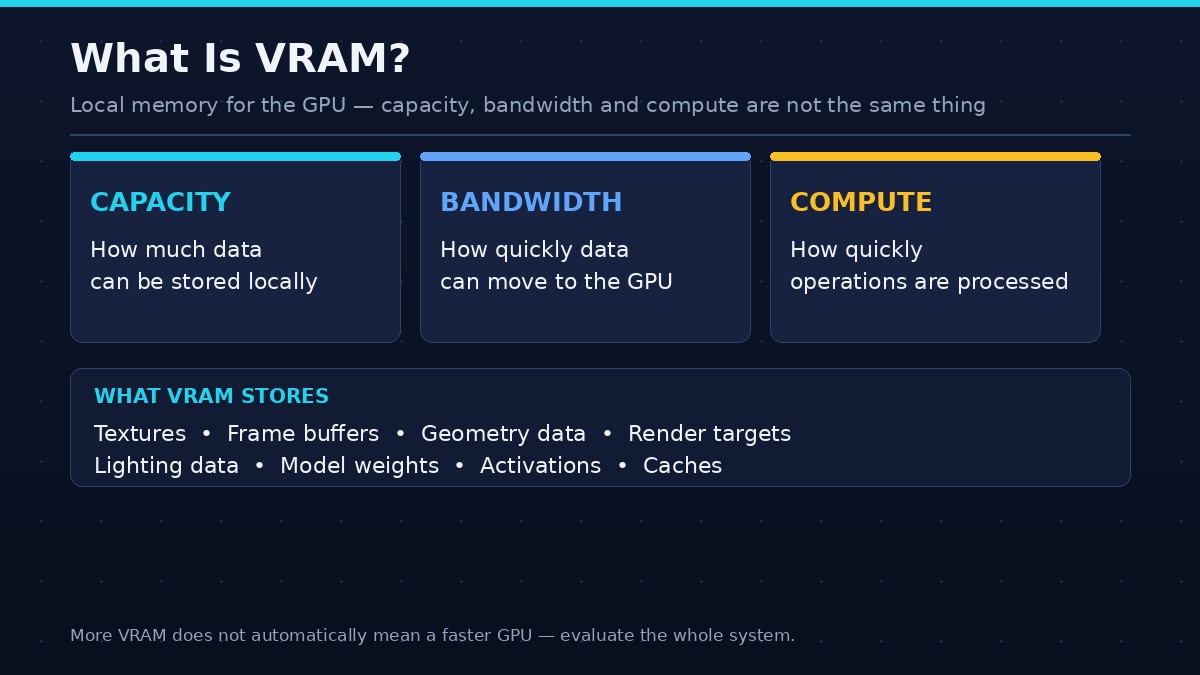
Capacity, bandwidth, and compute throughput are not interchangeable. Capacity is how much local data can be stored. Bandwidth is how quickly data can move. Compute throughput is how quickly operations can be processed. A workload can be constrained by one or several of these factors, and a change that helps one bottleneck may not help another.
What data does VRAM store?
A game may store texture maps, shadow maps, render targets, frame buffers, geometry resources, lighting data, and intermediate results in graphics memory. A creative application may store image layers, video frames, 3D assets, and effects data. AI applications may place model weights, activations, and caches in GPU memory. The exact mix changes with the task.
VRAM versus system RAM
System RAM is general-purpose memory used by the CPU and applications. Dedicated VRAM is physically attached to or integrated into the graphics card's memory subsystem and is designed for high-throughput GPU access. Integrated graphics often shares system RAM. Shared GPU memory on a Windows PC is not equivalent to dedicated VRAM because access paths and performance characteristics differ.
Capacity and bandwidth
Capacity describes how much data can be stored locally. Bandwidth describes how quickly data can move between memory and the GPU. A graphics card can have a large memory capacity but limited bandwidth, or fast memory with a smaller capacity. Both influence performance, but they solve different problems.
GDDR memory generations
Discrete graphics cards commonly use generations of GDDR memory. Newer generations can offer higher data rates and different power or signaling characteristics. A memory generation alone does not determine overall GPU performance. Bus width, data rate, cache design, compression, controller architecture, and GPU workload all matter.
Why games use VRAM
Games use graphics memory to keep resources available for rendering. Texture streaming systems may load different detail levels as the player moves. Higher-resolution assets can consume more space, while larger render targets can increase memory requirements at higher resolutions. Engines differ in their caching and residency strategies, so reported usage varies between games.
Why AI uses VRAM
Local AI workloads can place model weights and runtime data in GPU memory to accelerate computation. The requirement depends on model size, precision, context length, batch size, and framework overhead. A model may fit in a quantized form but need more memory for a longer context or concurrent requests.
How to read a GPU specification
Check installed VRAM capacity, memory type, bus width, effective data rate, and manufacturer bandwidth specification. Also consider GPU architecture, compute resources, cache, power, and supported features. Avoid treating one specification as a complete measure of performance.
Common misconceptions
More VRAM does not automatically increase FPS, and shared system memory does not turn into equally fast dedicated memory. A high allocation reading is not proof of exhaustion. A card with less VRAM can outperform a larger-memory model when the workload fits and its GPU is faster. Real application benchmarks are needed.
A careful test and verification process
Record the hardware model, driver version, operating system, application version, workload, and settings. Use a repeatable scene or task, and close applications that are not part of the test. Run the baseline several times and note both performance and visual or functional behavior. If the workload is interactive, capture frame times as well as average FPS. If it is a compute task, record completion time, throughput, peak memory, and output correctness.
Change one variable at a time. This is the only practical way to understand whether a particular setting, format, or configuration produced the difference. Save the original configuration and restore it before testing another variable. If the result varies substantially between runs, investigate background activity, caching, thermal behavior, and first-run compilation.
Report the limits of the test. A result from one GPU, one driver, and one software version should not be generalized to every card or application. State whether the figure is measured, estimated, or taken from official documentation. If a benchmark is involved, explain the scene, duration, tools, and calculation method.
Common mistakes
Do not infer a memory bottleneck from a high allocation number alone. Do not assume extra capacity automatically improves performance. Do not compare unrelated GPU models and attribute every difference to VRAM. Do not use unofficial utilities that promise to create physical memory or bypass hardware limits. These shortcuts produce misleading conclusions and can put system stability at risk.
Frequently asked questions
Is VRAM the same as RAM?
No. System RAM serves the CPU and general applications, while dedicated VRAM is local memory designed for GPU workloads.
What does VRAM do in gaming?
It stores graphics resources such as textures, render targets, and other data needed by the GPU.
Does more VRAM mean a faster GPU?
Not necessarily. It increases capacity, but core performance, bandwidth, architecture, and software also matter.
Can VRAM be upgraded?
Most discrete graphics cards have fixed memory capacity. It is generally not upgradeable like system RAM.
How much VRAM do I need?
It depends on resolution, games, settings, creative applications, AI models, and the expected workload. Match capacity to the tasks you run.
Conclusion
VRAM is a working space for the GPU, not a direct speed rating. Evaluate capacity together with bandwidth, architecture, software, and the workload you actually use.
The best decision comes from understanding the actual workload, measuring it consistently, and evaluating the complete hardware and software configuration. Use specifications to establish what is supported, and use repeatable tests to understand performance. This avoids confusing one memory metric with the behavior of the entire graphics system.