
What Is Memory Bandwidth vs Memory Capacity in a GPU?
Introduction
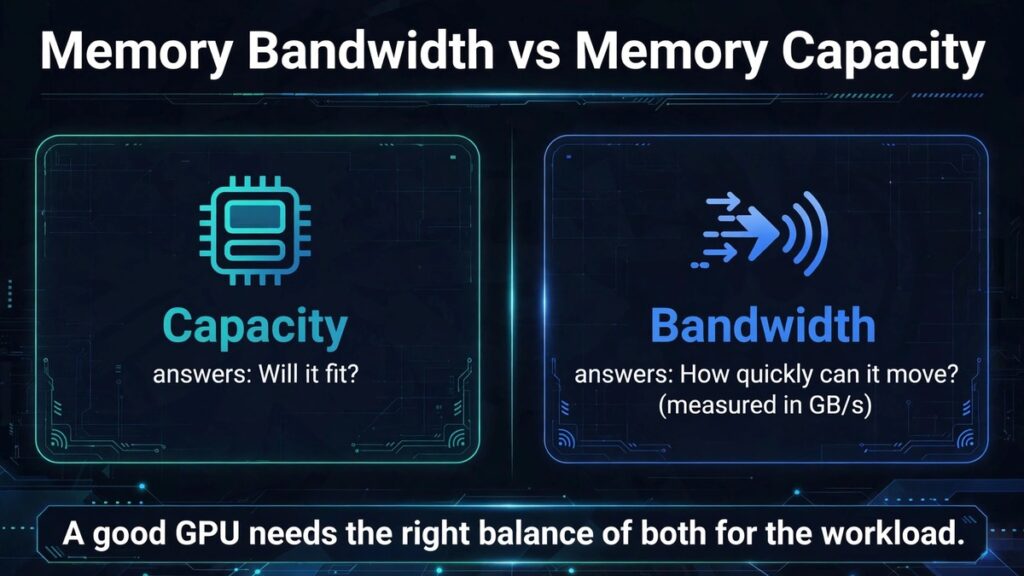
Memory capacity and memory bandwidth are two of the most important graphics-card specifications, but they describe different properties. Capacity tells you how much data can be stored in local graphics memory. Bandwidth tells you how quickly data can move between the GPU and that memory. A card can have plenty of capacity but limited bandwidth, or fast bandwidth with a smaller memory pool. Understanding the difference helps explain why one upgrade can solve a problem while another does not.
A clear explanation of GPU architecture should connect the specification to the way software uses the hardware. Names such as memory bus, cache, unified memory, and bandwidth can sound similar, but they describe different parts of the system. This guide defines the central terms, explains their relationships, and gives readers a practical framework for evaluating graphics cards and workstations.
| Aspect | Capacity | Bandwidth |
|---|---|---|
| What it answers | Will the workload fit? | How quickly can data move? |
| Measured in | Gigabytes | Gigabytes per second |
| Bottleneck symptom | Out-of-memory errors, texture changes, streaming, or inconsistent frame times | Performance responds to memory speed, bus width, or cache |
| Priority when | The workload fails or streams poorly as the working set grows | The workload fits, but performance responds to memory throughput |
Quick answer
Capacity determines how much data can fit in VRAM; bandwidth determines how quickly the GPU can transfer data. The correct priority depends on whether the workload is capacity-limited or bandwidth-limited.
Background: how a GPU uses memory
A graphics processor executes many operations in parallel. It needs a steady supply of data, including textures, geometry, frame buffers, model weights, and intermediate results. Local graphics memory provides a large working area, while caches keep selected data closer to processing units. The memory controller coordinates access, and the external interface determines how data moves between the GPU and memory devices.
The system is a hierarchy. Different resources have different sizes, lifetimes, and access patterns. Some are reused across many frames or operations, while others are temporary. The software engine, driver, and hardware cooperate to allocate, stream, cache, and release resources. This is why memory use can change as a scene or workload changes.
Understanding memory capacity
VRAM capacity is measured in gigabytes and represents the amount of local memory installed on a graphics card. Games use it for textures, render targets, geometry resources, and other data. AI applications use it for model weights, activations, caches, and intermediate tensors. If the active working set exceeds the practical budget, software may need to stream or move resources.
Understanding memory bandwidth
Bandwidth is usually expressed in gigabytes per second. It depends on effective memory data rate and bus width. It describes the theoretical rate at which data can move across the memory interface, although real applications may achieve different effective rates because of cache, compression, access patterns, and scheduling.
What a capacity bottleneck looks like
A capacity-related issue may appear when a workload cannot keep its required resources resident. Depending on the application, symptoms can include out-of-memory errors, texture changes, asset streaming, or inconsistent frame times. High allocation alone is not proof. The strongest evidence comes from repeatable behavior that improves when memory-heavy settings or workload size are reduced.
What a bandwidth bottleneck looks like
A bandwidth-limited workload needs data to move faster than the memory subsystem can supply it. Performance may respond to changes in memory speed, bus width, cache behavior, or access patterns. It may not be solved by installing more capacity if the same data still has to move across the interface at the same rate.
Examples in gaming
A game with very high-resolution textures may need more capacity to keep assets resident. A game with heavy rendering traffic may be sensitive to bandwidth. Some games are limited by shader throughput or CPU performance instead. The same graphics card can face different bottlenecks in different titles and scenes.
Examples in AI and workstations
A local language model may fail to load because its weights and cache exceed available capacity. A large tensor workload may fit in memory but be limited by transfer bandwidth or compute throughput. A 3D scene can require substantial capacity for assets while also placing bandwidth demands on rendering. Identify the specific stage that is limiting the task.
How to choose between more capacity and more bandwidth
Estimate the working-set size and check whether the application fits comfortably. Then examine performance scaling and hardware benchmarks. If the workload fails or streams poorly when the working set grows, capacity may be the priority. If it fits but performance responds to memory throughput, bandwidth may matter more. In practice, both are part of a balanced GPU design.
How to use this information when comparing hardware
Start with the exact product model, not just the GPU family name. Check the official product page for capacity, memory type, bus width, data rate, bandwidth, and architecture. Product variants can have different specifications even when they share a similar name. Confirm whether a listed value applies to the desktop card, laptop version, or a partner-board model.
Then match the comparison to your workload. Gaming tests should use the resolution and settings you expect to play. AI tests should identify model size, quantization, context length, and inference framework. Workstation tests should use representative project files and application versions. A specification may be important in theory but have little effect in a workload limited by another component.
Finally, look for transparent methodology. A benchmark should state the system, software versions, settings, test route, and measurement method. If the article uses a theoretical calculation, show the formula and assumptions. Do not present estimates as measured results. Repeated tests and clear limitations make the conclusion more useful.
Common misconceptions
More VRAM does not automatically mean more FPS. Shared memory is not always equivalent to dedicated VRAM. A higher memory clock is not the same thing as higher bandwidth. A wider bus does not guarantee a faster GPU. Cache does not replace the main memory pool. These distinctions matter because each specification describes a different part of the system.
Frequently asked questions
Is capacity more important than bandwidth?
Neither is universally more important. Capacity determines fit, while bandwidth determines transfer rate.
Can more VRAM fix low bandwidth?
Not directly. More capacity does not increase the physical transfer rate of the memory interface.
Can higher bandwidth fix out-of-memory errors?
No. Faster transfers do not create additional storage capacity.
What matters more for gaming?
It varies by game, resolution, settings, and GPU. Both capacity and bandwidth should be considered with compute performance.
How do I know which bottleneck I have?
Use repeatable tests, memory and frame-time monitoring, and controlled changes to workload size or settings.
Conclusion
Capacity answers 'will it fit?' Bandwidth answers 'how quickly can it move?' A good GPU needs an appropriate balance for the workload.
The most useful GPU comparison is one that connects specifications with a real workload. Understand what each memory metric describes, check exact manufacturer information, and use repeatable application tests. This gives readers a reliable way to judge hardware without relying on a single headline number.